GTS Station Tour

A guided walkthrough of the main GTS Desk screens โ€” every surface, all native, all under one chrome.

GTS Desk is part of the GTS platform
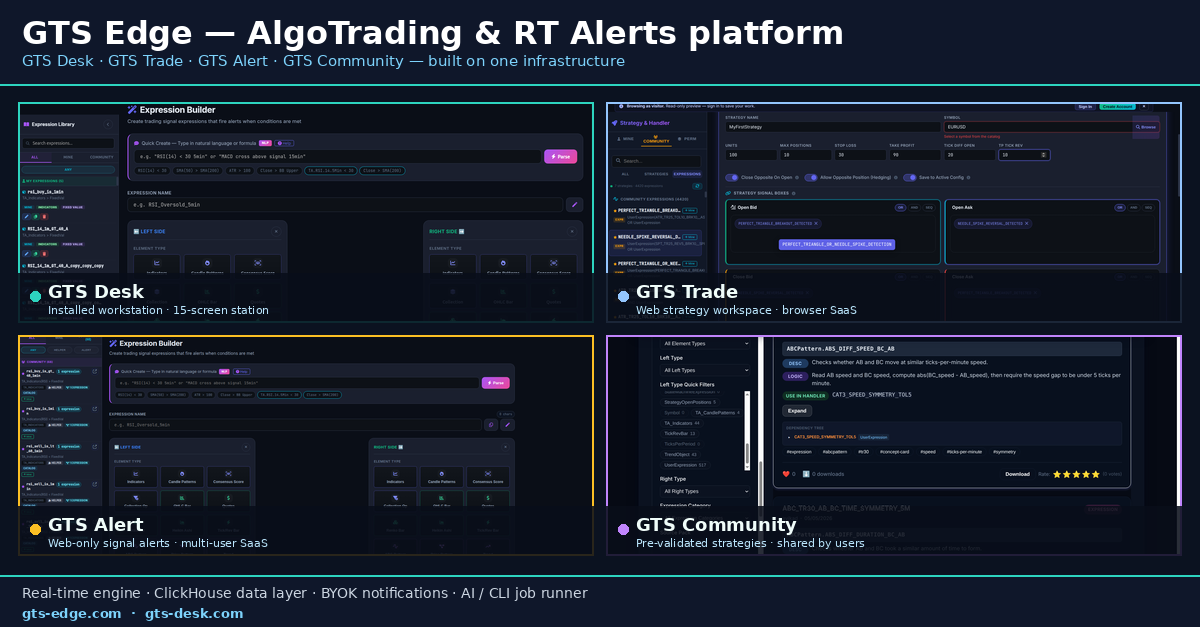
GTS โ€” Layered trading platform: GTS Desk, GTS Trade, GTS Alert, GTS Community, built on shared real-time engine, ClickHouse data layer, BYOK notifications, and AI/CLI job runner.

Alerts ยท Trading ยท Workstation ยท Community โ€” four product surfaces, one shared infrastructure. This page tours the Workstation tier in depth.

Step 1 ยท Build

Compose the signal logic

From a single Quick-Create NLP prompt to thousands of strategy permutations โ€” three surfaces cover author-time.

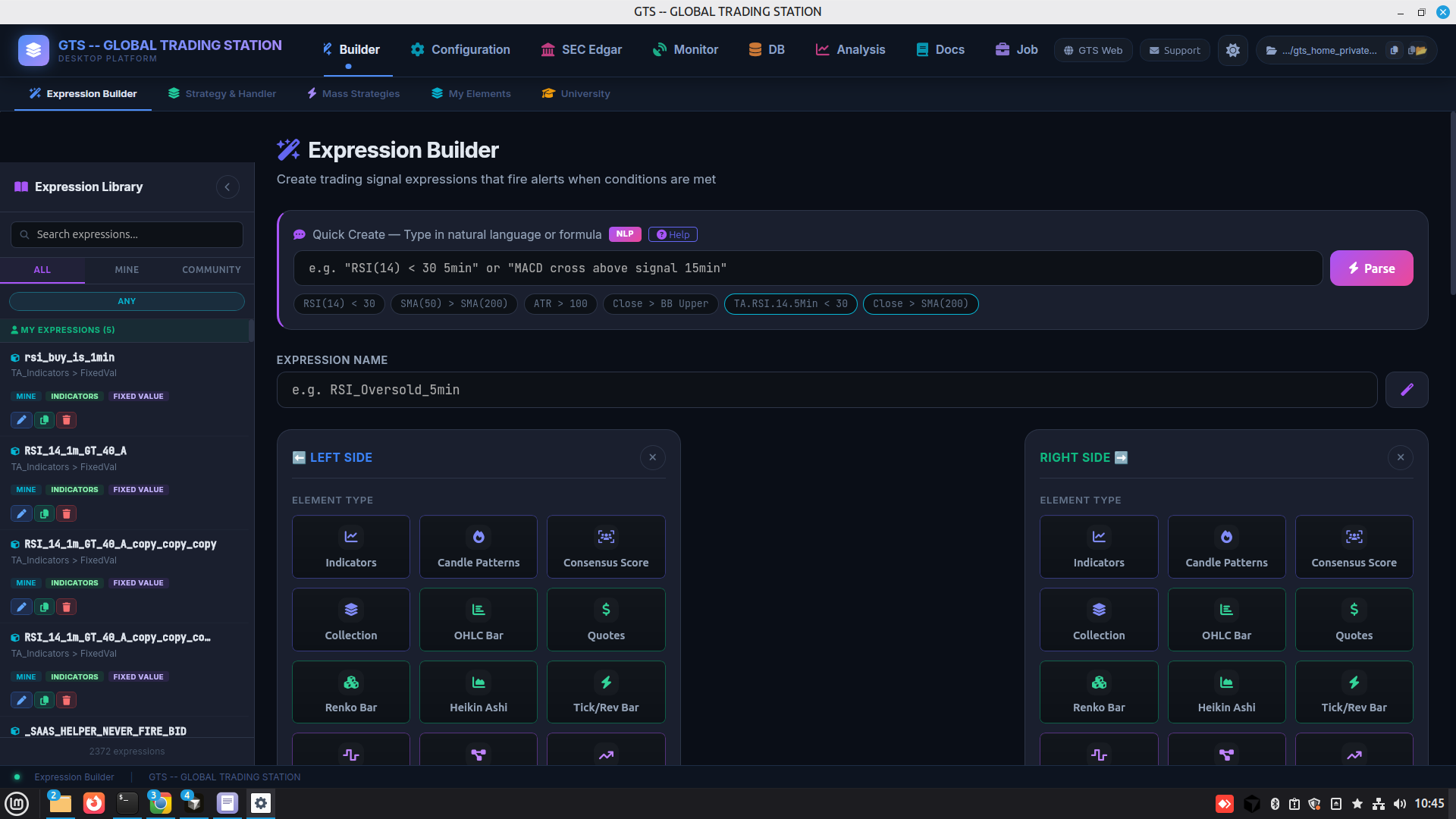
GTS Desk Expression Builder
Expression Builder ยท left/right canvas + Quick-Create NLP, framed by 8-tab station chrome.
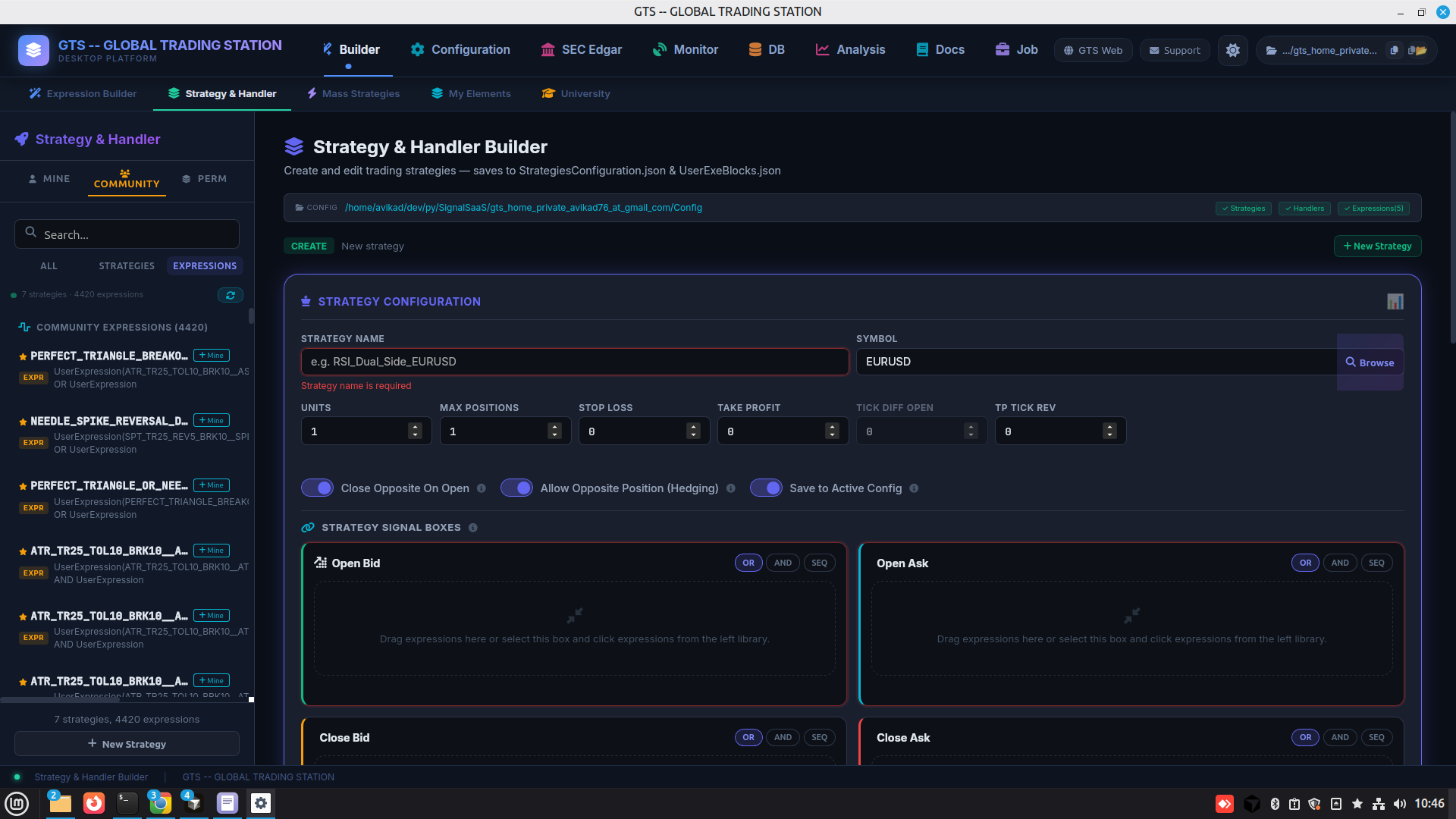
Strategy & Handler
Strategy & Handler ยท Units/SL/TP + 4 signal boxes where expressions drop in.
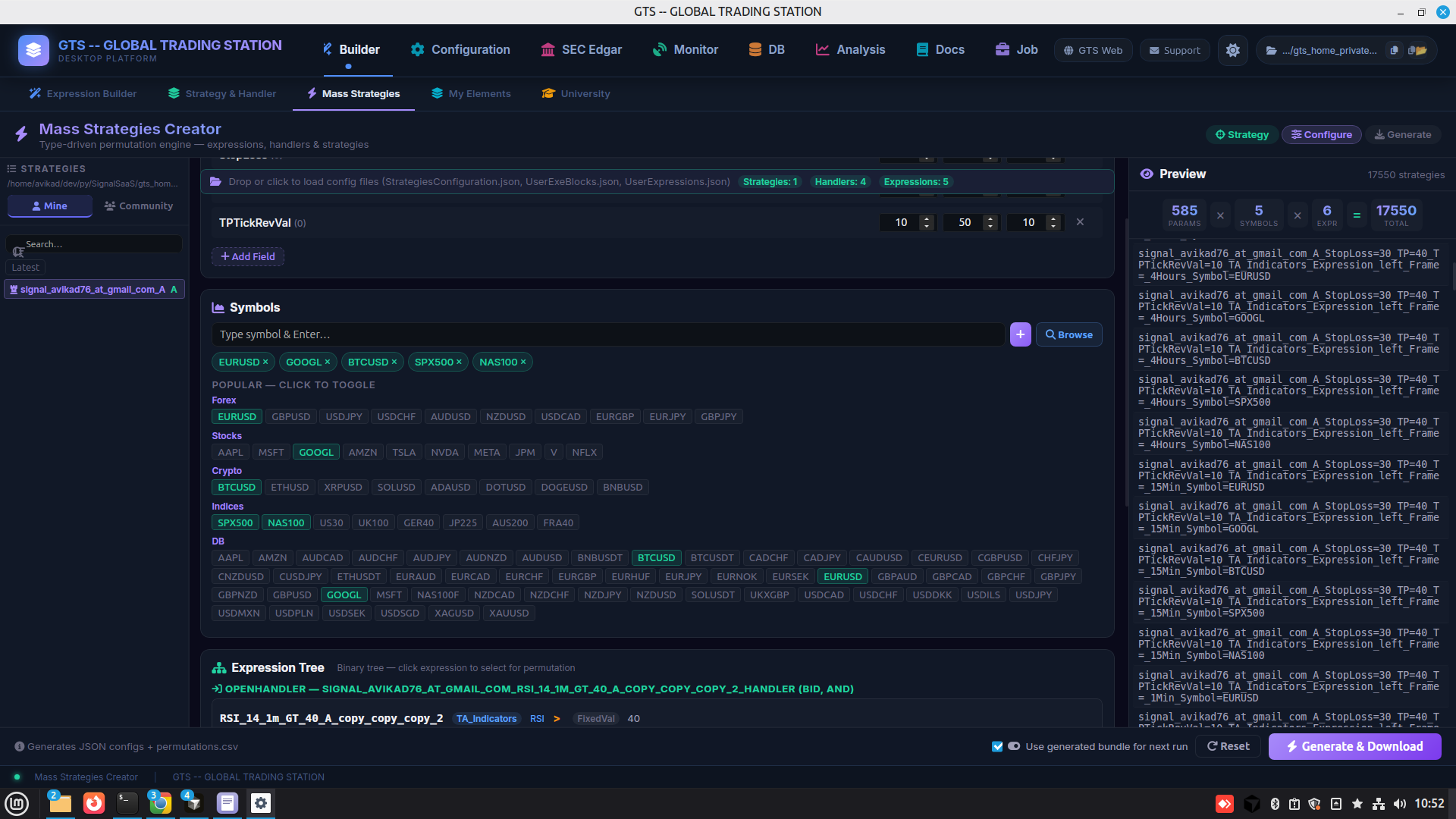
Mass Strategies
Mass Strategies ยท parameter sweeps ร— symbols generating thousands of variants from one template.

Step 2 ยท Run & manage

Operate what you built

Saved strategies become live runtime, governed by per-system params, exchange keys, and channel policy.
My Strategies library
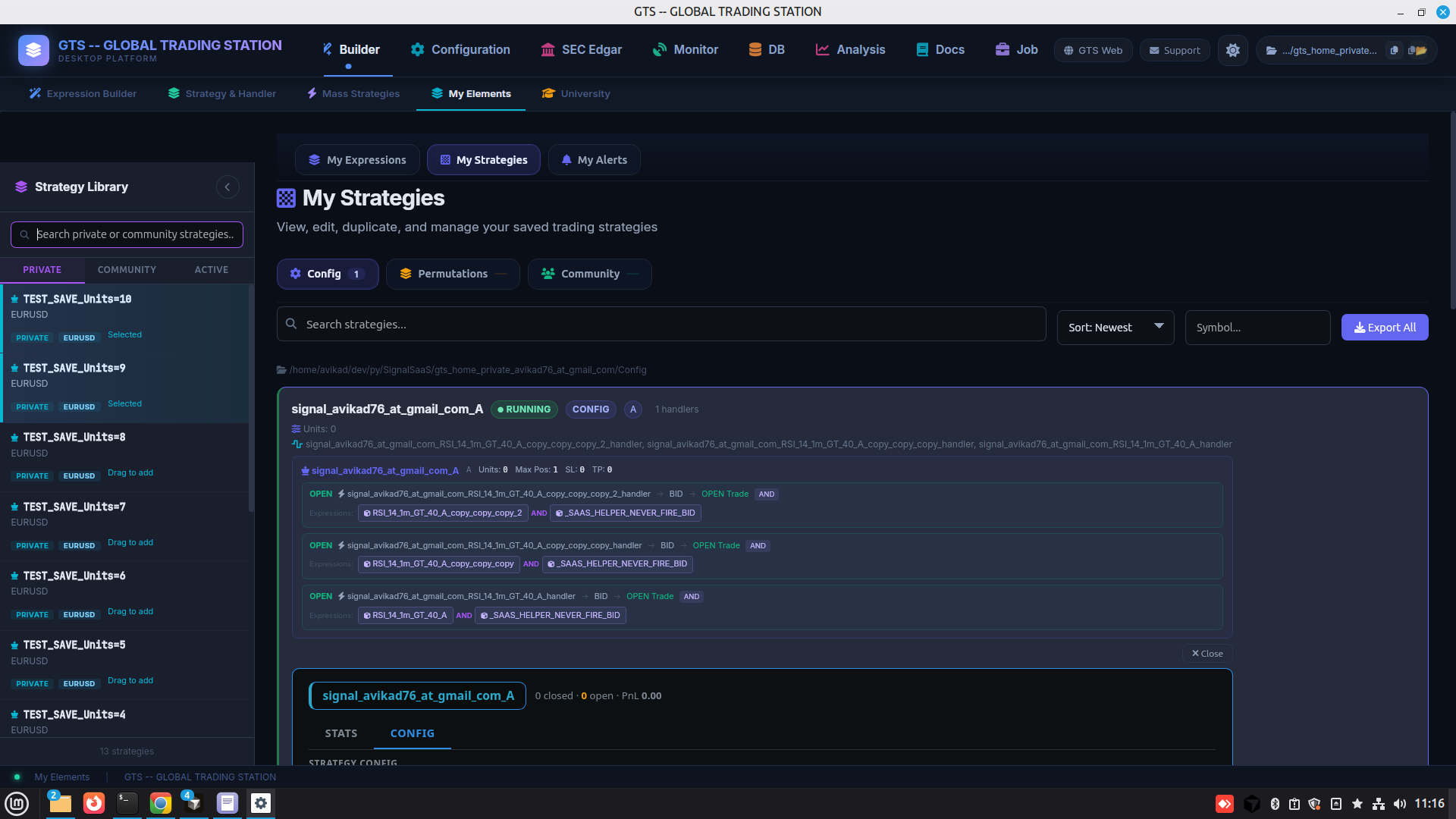
My Strategies ยท saved strategies + handlers + nested expression refs with running/config/tracking badges.
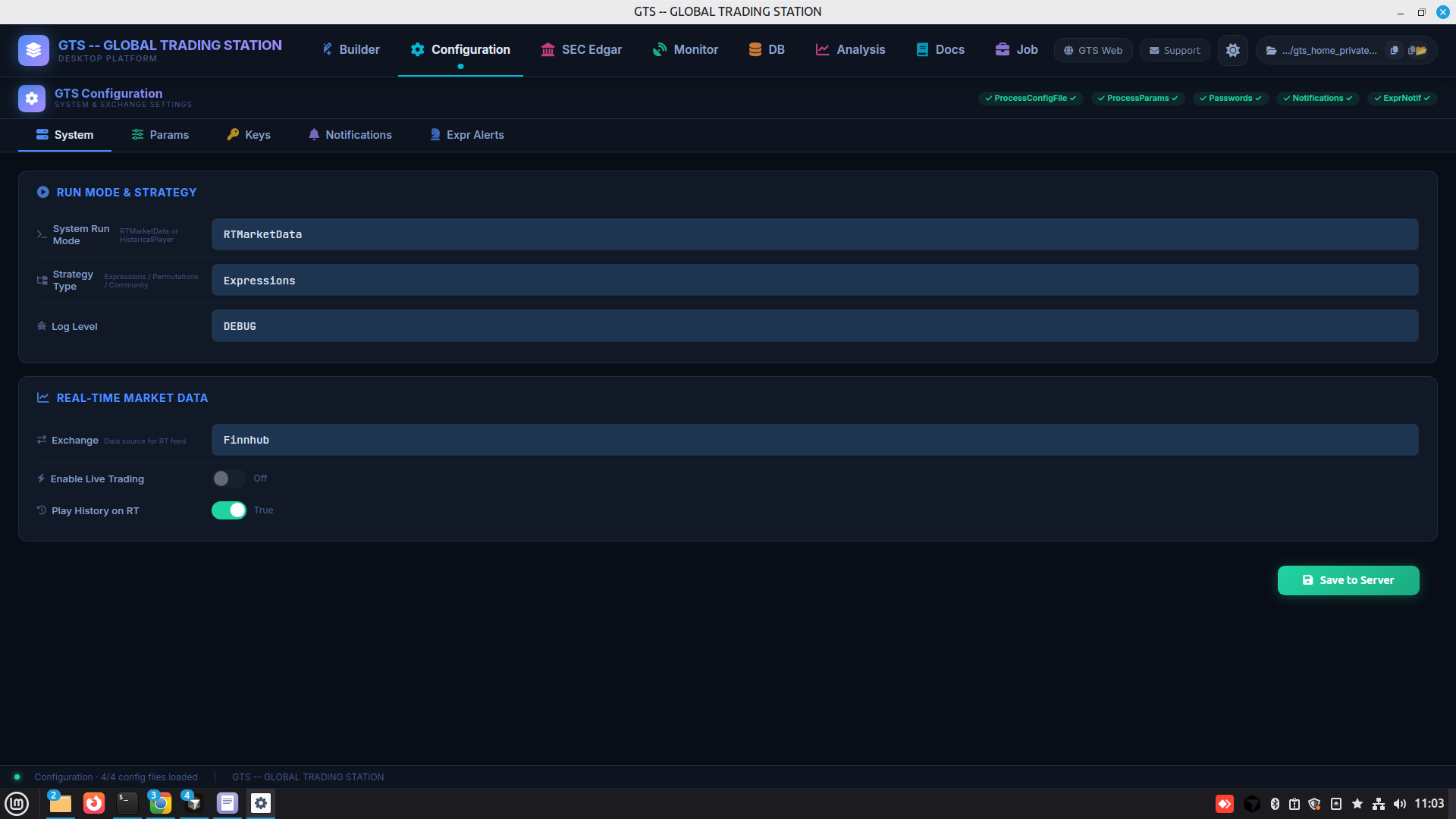
Configuration / Process
Configuration / Process ยท system & exchange settings, 5 sub-tabs (System / Params / Keys / Notifications / Expr Alerts).

Step 3 ยท Notify

Signals reach you on your terms

Self-hosted channels under your keys โ€” and per-expression routing decides which fire goes where.
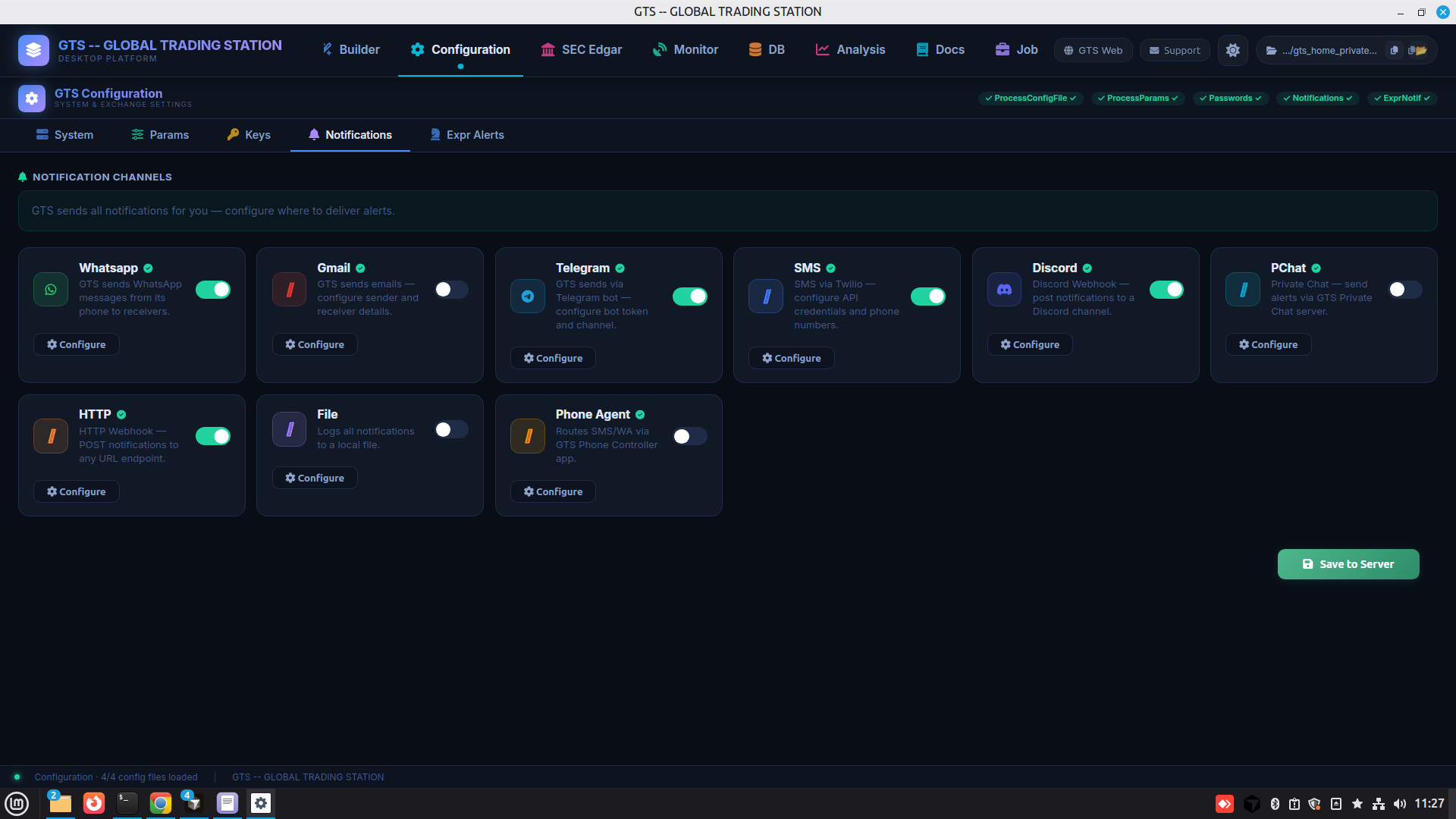
BYOK Notifications
BYOK Notifications ยท 10 self-hosted channels (WhatsApp / Gmail / Telegram / SMS / Discord / WebChat / WebPush / HTTP / File / Phone Agent) โ€” your keys, no middleman.
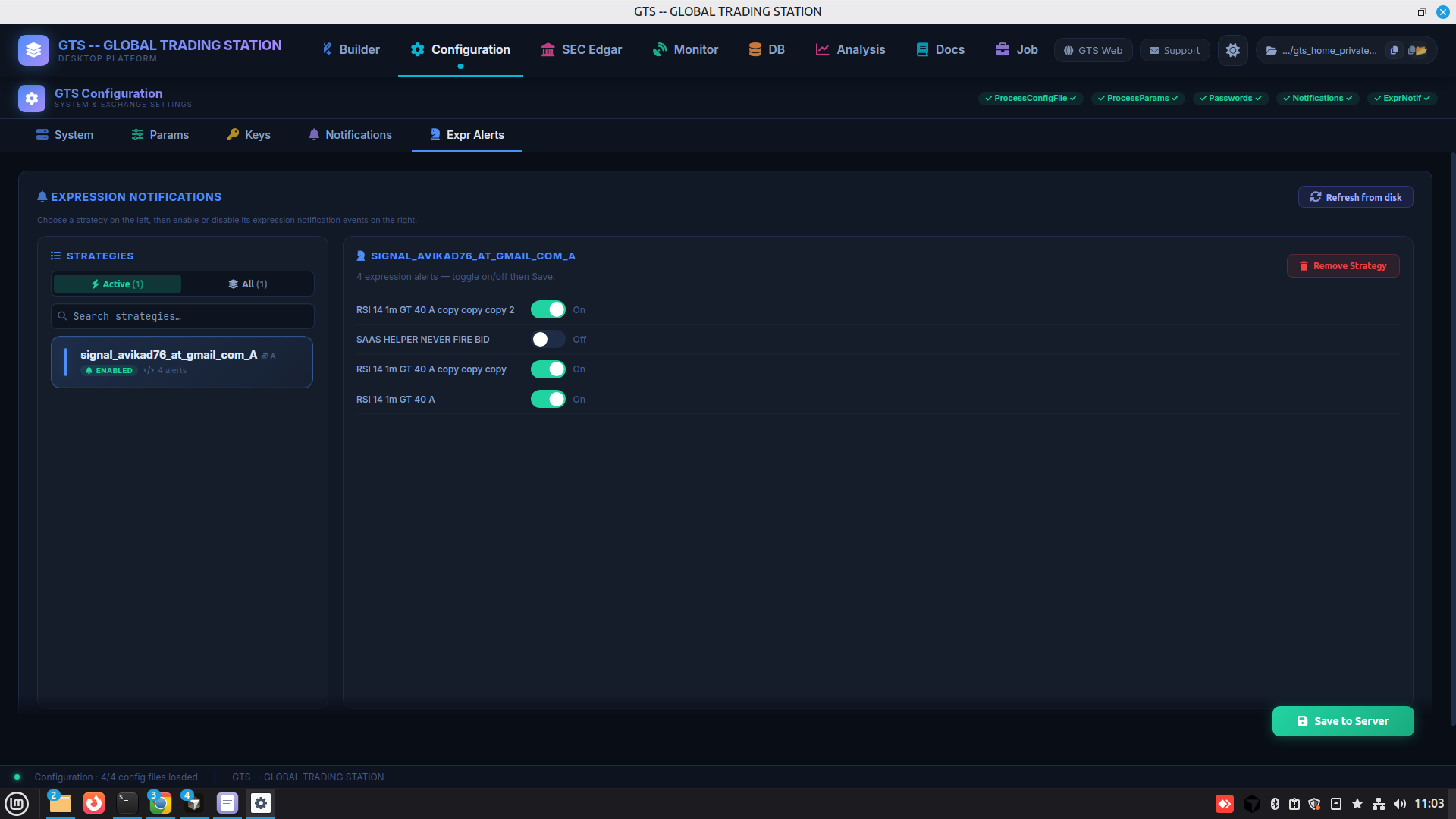
Expression Alert wiring
Expression Alerts ยท per-expression channel routing with rule policy.

Step 4 ยท Observe

Your data, your dashboards

Native ClickHouse browser, bulk historical uploads, live account stats, and per-object engine introspection โ€” all in-station.

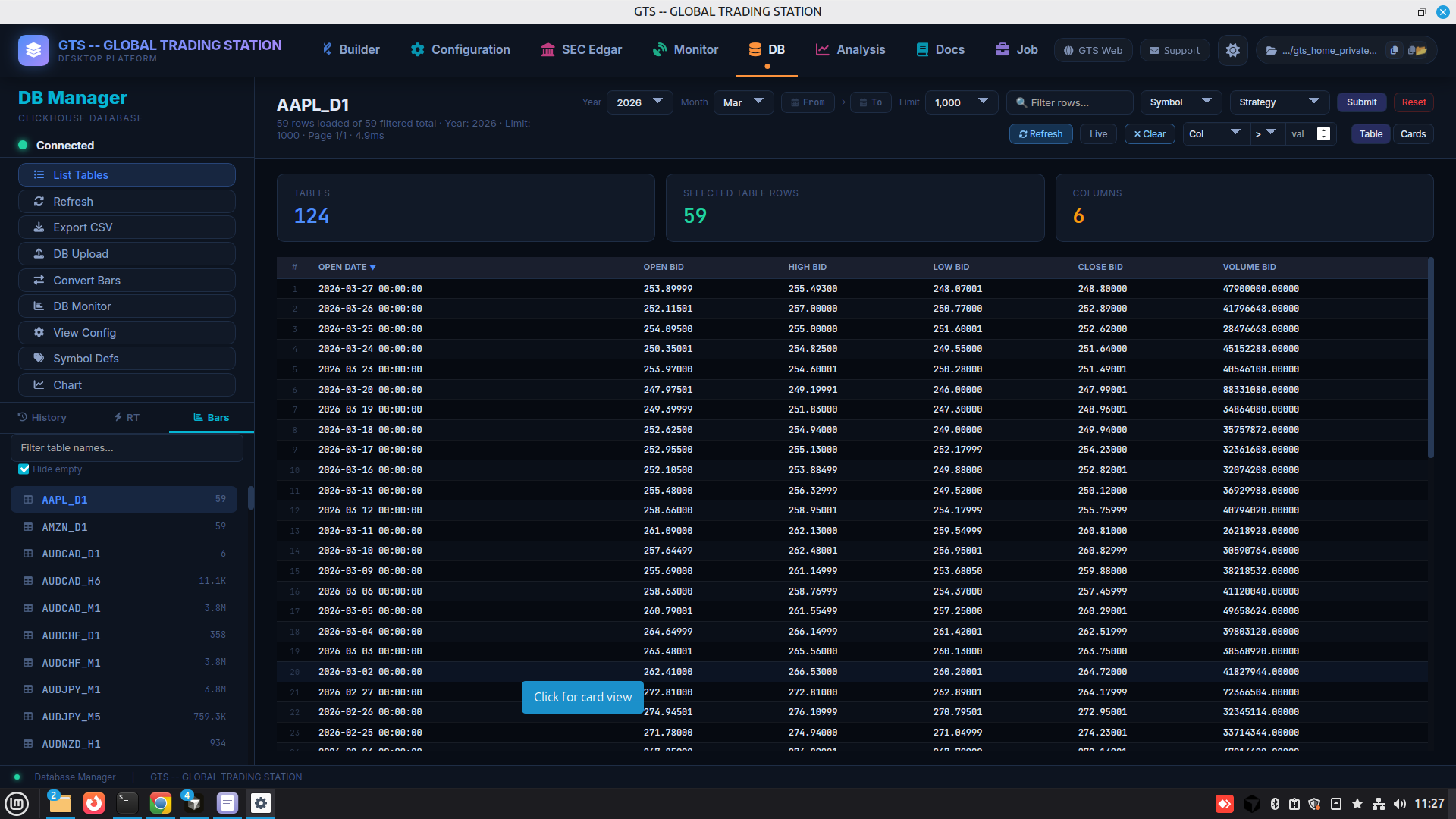
DB Manager
DB Manager ยท native ClickHouse browser โ€” 124 tables, per-symbol drilldowns, filters, pagination.
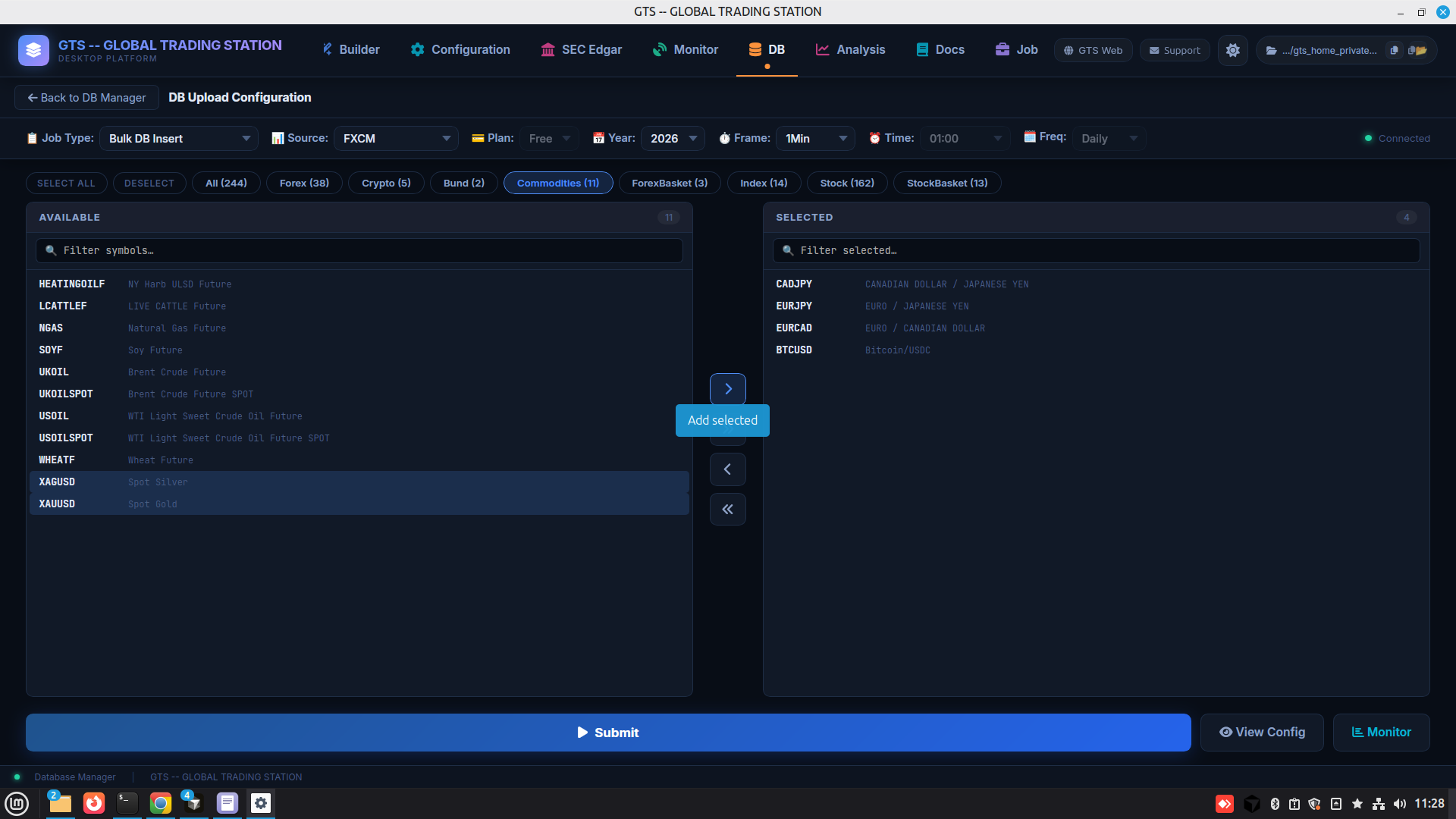
DB Upload
DB Upload ยท bulk historical-data jobs โ€” source ร— symbol set ร— year ร— timeframe.
DB Monitor
DB Monitor ยท live trading account stats โ€” P/L, positions, trades, per-symbol & per-strategy breakdowns.
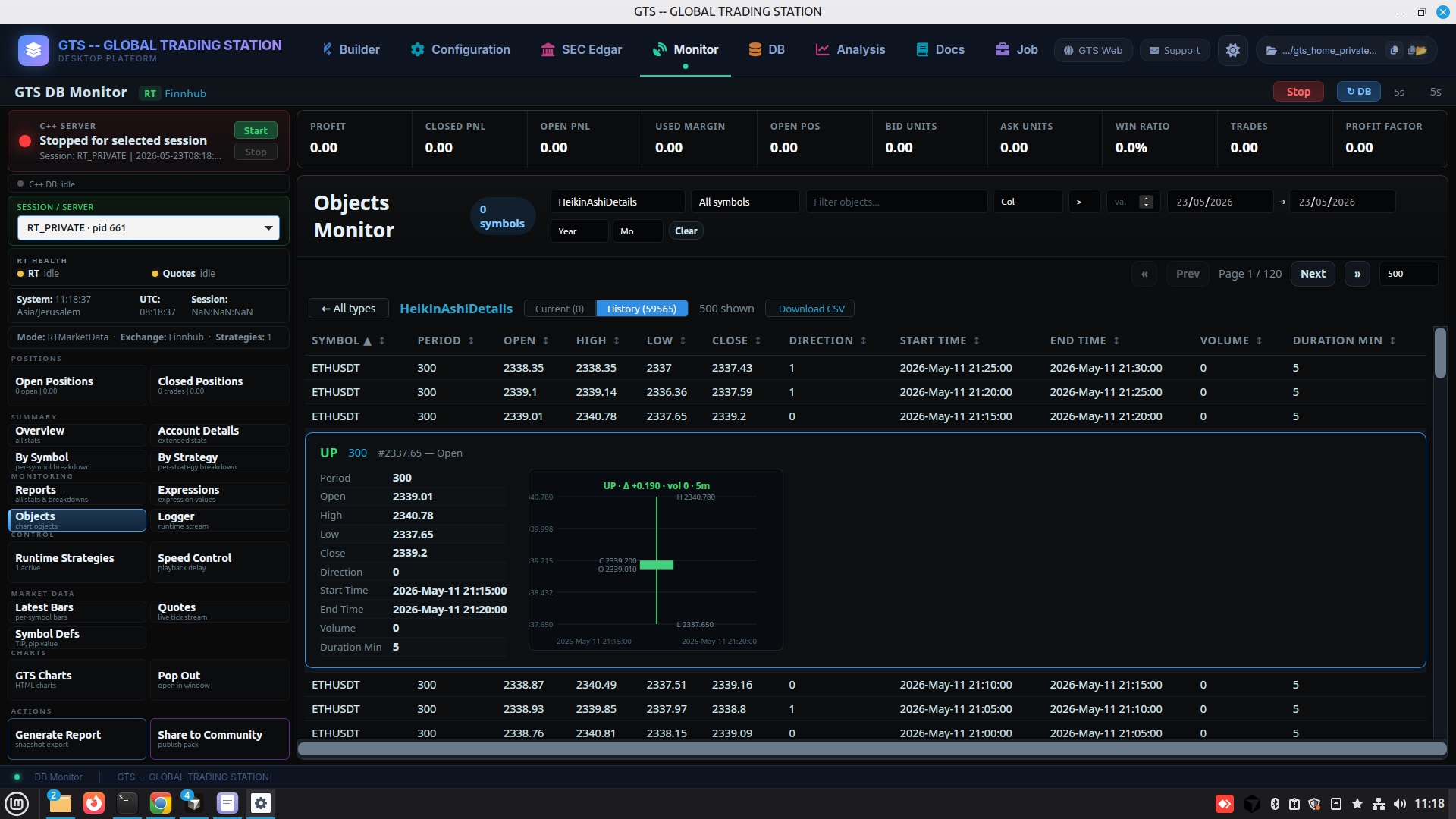
GTS Monitor
GTS Monitor ยท per-object live state (RT subs, indicator caches, downloaders) across the running engine.

Step 5 ยท Power tools

Research, docs, and AI-as-operator

Filings, embedded TradingView, offline docs, and a Job Center where every GUI action is also a job an LLM or terminal can call.
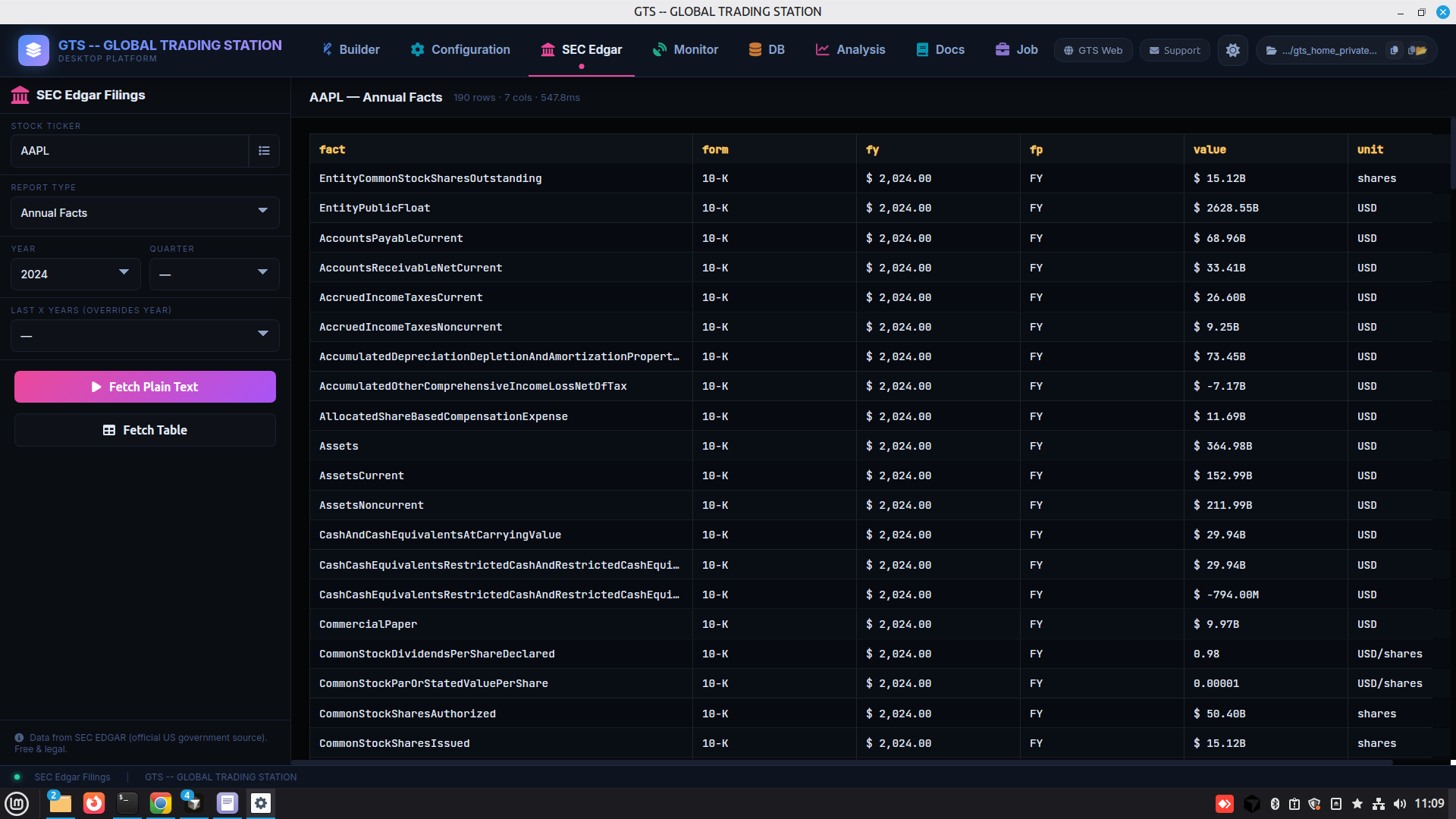
SEC Edgar
SEC Edgar ยท built-in EDGAR integration โ€” fetch every filing line-item to feed strategies as fundamentals data.
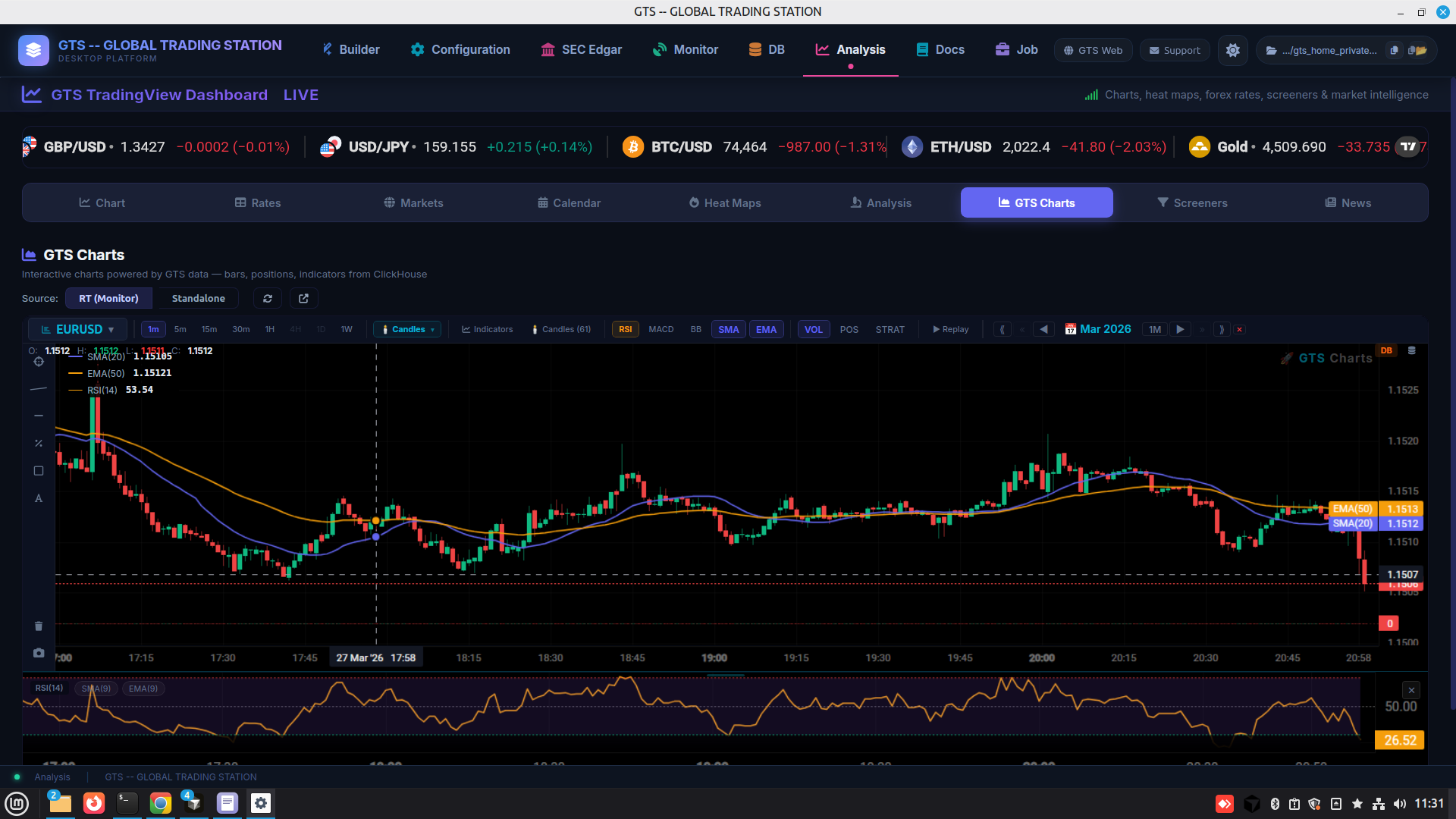
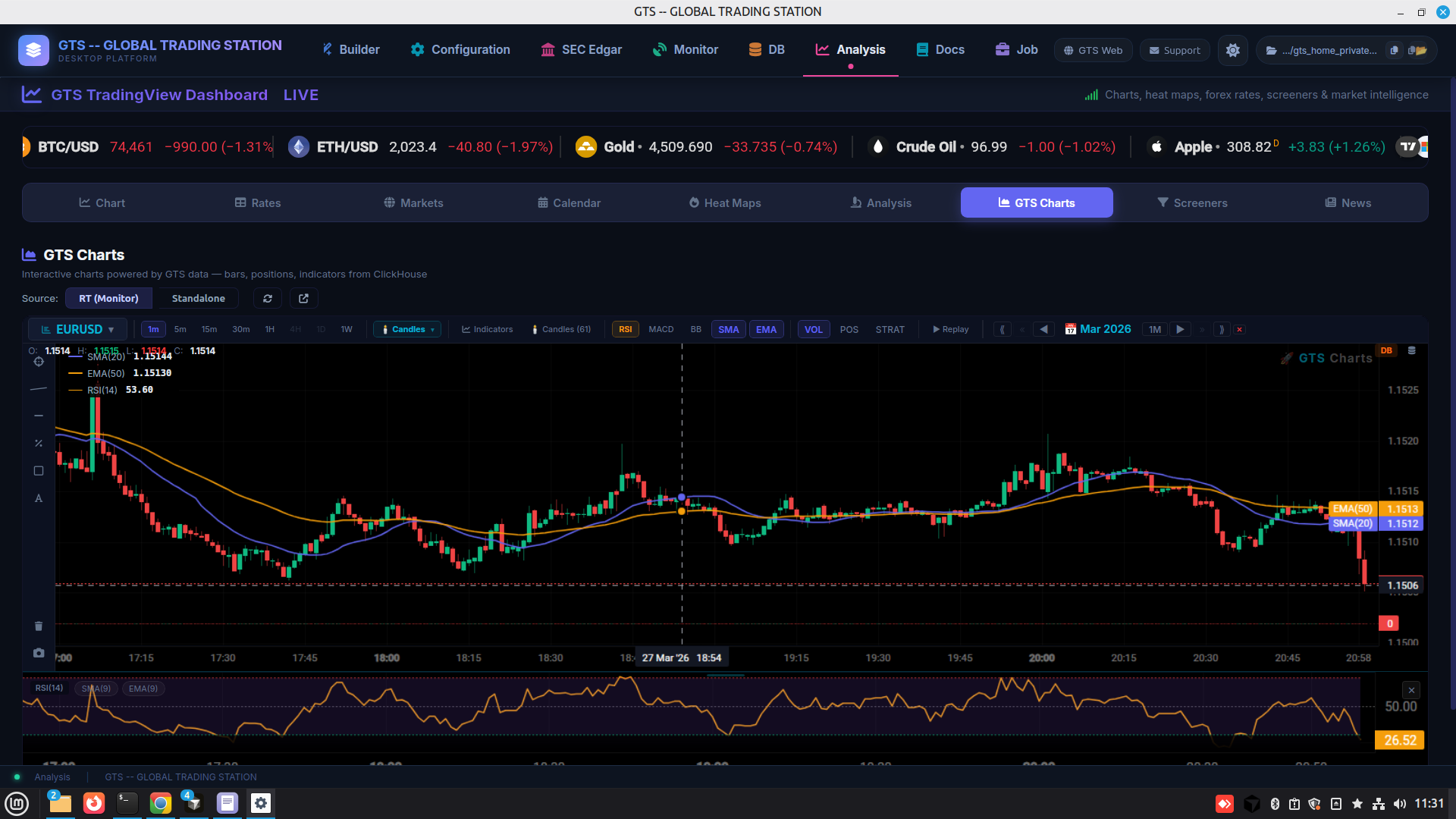
TradingView Dashboard
Analysis ยท embedded TradingView โ€” charts, screeners, calendars, news, heat maps inside the station.
Documentation Center
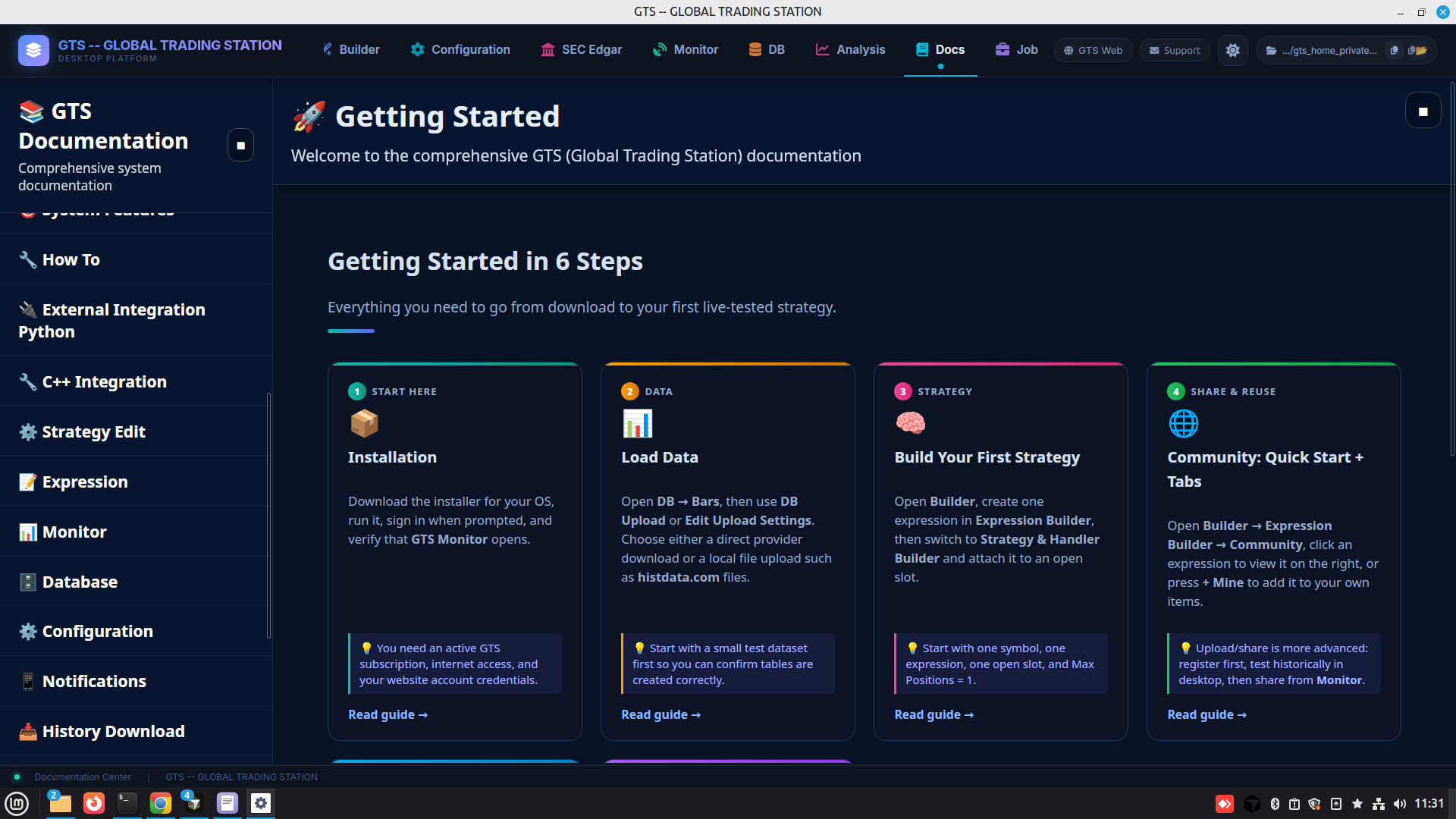
Documentation ยท offline docs hub โ€” Getting Started in 6 Steps + per-topic deep dives.
Job Center with AI integration
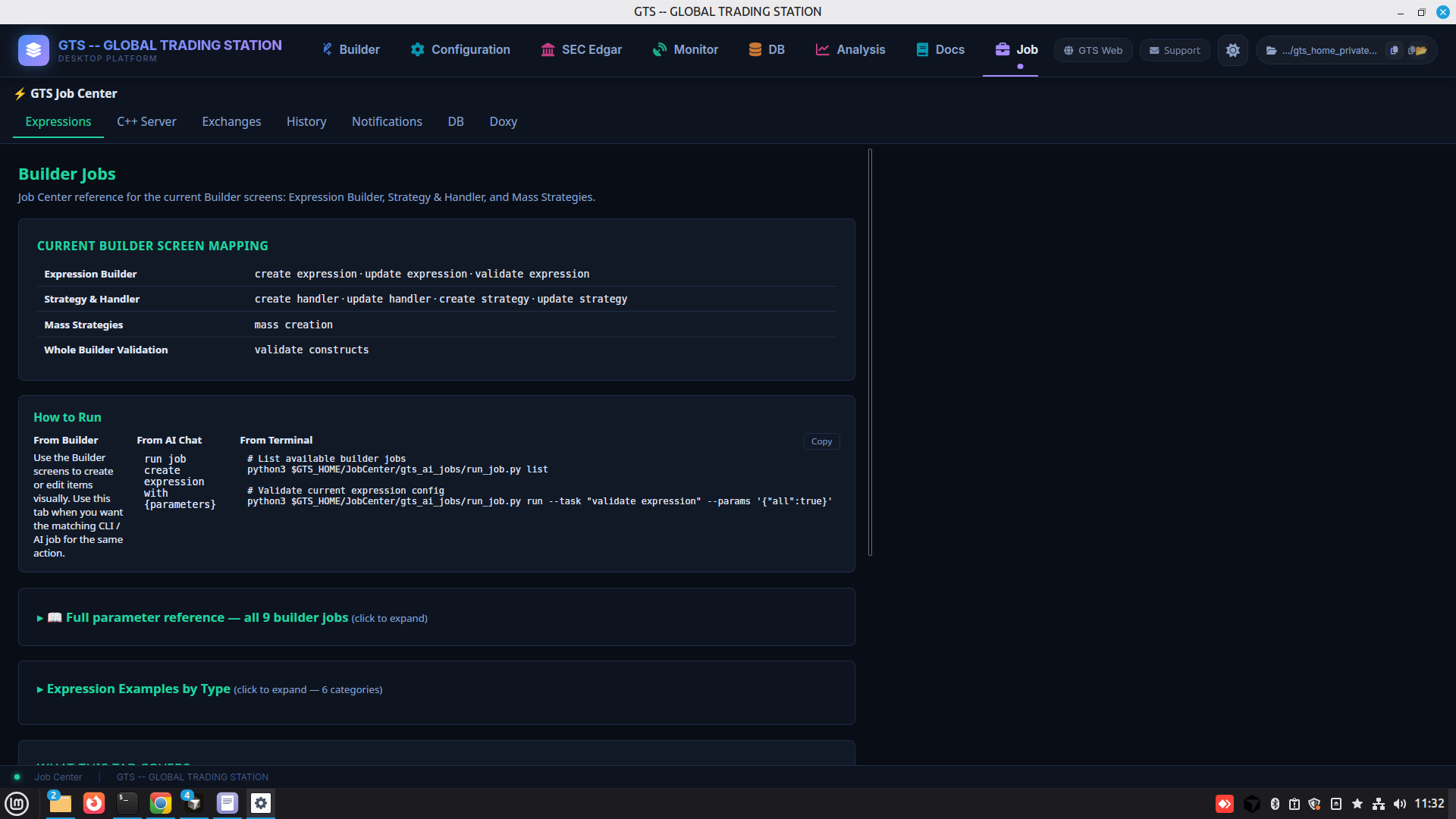
Job Center (AI) ยท every builder action also runnable from AI chat or terminal CLI โ€” everything in the GUI is a job an LLM can call.